Content Calendar Template for a Business YouTube Channel (Free Google Sheet)
Most content calendars are a list of dates. For a business channel, that's the wrong starting point. Plan around your filming day and your buyer's questions, and the dates take care of themselves. Here's the template we use, with the columns that matter.
 By Evgeny Maximov·8 min read·
What columns should a content calendar template have?
| Column | Why |
|---|---|
| Idea / working title | what the video is |
| Buyer question or objection | why your buyer would watch |
| Funnel stage (TOFU / MOFU / BOFU) | the job of the video |
| Format | talking head, podcast, tour, screen share, case study |
| Main search phrase | checked in YouTube autocomplete |
| Lead magnet / CTA | the next step in this video |
| Filming day | which batch it belongs to |
| Status | idea → script → filmed → editing → ready → published |
| Publish date | set after filming |
| Shorts | how many cut, where posted |
| Result | views, watch time, calls |
The two columns most calendars miss: buyer question and funnel stage. Without them, a calendar is a to-do list, not a strategy.
How do you plan a month?
- Pick the filming day first and put it in your calendar like a board meeting.
- Choose four long videos from your idea bank: about one broad (top of funnel) and three deeper (middle and bottom).
- Write one-page scripts for each: a hook, questions for each block, a call to action.
- Film all four in one day.
- Schedule publishing weekly. Pick a fixed slot, for example Thursday at 4 pm. In YouTube Studio you can spend half a day uploading the month's videos and Shorts, schedule them all, and forget about it. Cut Shorts from each video and spread them across the month.
The 1–4–20 system: what one filming day gives you
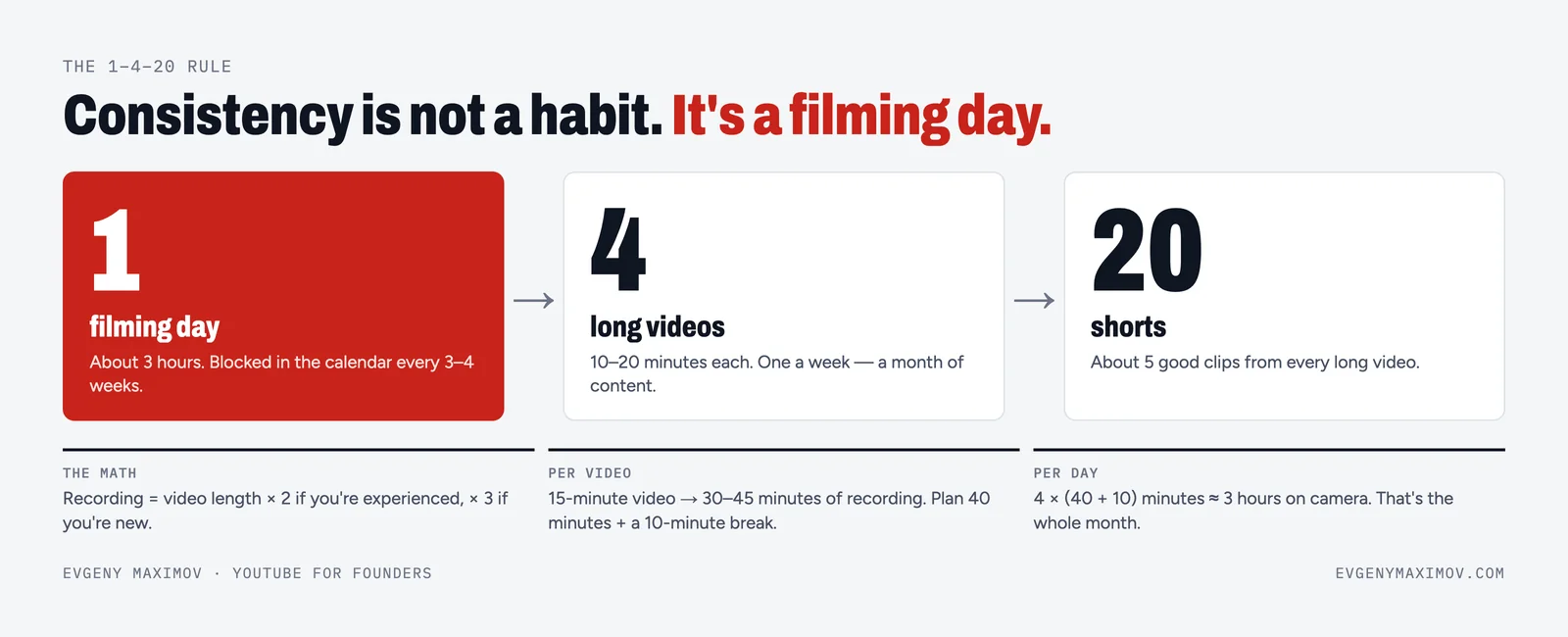
This is the rhythm we run for clients. One filming day gives four long videos. Four long videos give about twenty Shorts. Spread over a month, that's one long video and five Shorts every week, on every platform where your buyers are, plus an SEO article for your website.
Here's what a typical week looks like in the calendar:
| Day | What goes out | Where |
|---|---|---|
| Monday | The long video of the week | YouTube, plus a native upload to LinkedIn or Facebook if your buyers are there |
| Monday | An SEO article built from the video's transcript, with the video embedded | Your website blog |
| Tuesday–Saturday | One Short a day, cut from this week's or last week's long video | YouTube Shorts, Instagram Reels, TikTok, LinkedIn, Facebook |
| During the week | One email and one or two text posts with the main idea | Your list, LinkedIn |
Why post Shorts everywhere and not only on YouTube? Because each platform has its own audience, and a vertical clip costs nothing extra to publish five times. Each Short should send people to the long video. Most viewers who end up on a call came through a long video, not a Short.
Why the article? Because it gets found in Google and quoted by AI search tools, and it gives the same idea a second home that you fully own. That's how every article on this blog is made. More on that in AI search optimization with YouTube.
In the calendar, that means four rows a month for long videos, with columns for the Shorts, the article and the posts. One filming day feeds the whole month.
What does a good monthly mix look like?
- 1 top-of-funnel video: a mistake, a myth, a big-name breakdown.
- 2 middle-of-funnel videos: your method, a process, a masterclass part.
- 1 bottom-of-funnel video: a case study, "how we work", a cost comparison.
- 15–20 Shorts cut from the four.
Why Shorts at all, if long videos sell? Because the audiences are different. For one of our clients in a serious B2B niche, 40% of viewers watched only long videos, 30% watched both, and 30% watched only Shorts. Without Shorts, that last third would never see you.
Where do the ideas come from?
Your sales calls. A content calendar template is only as good as the ideas in it. Write down every question and objection for a month, and you'll have more ideas than filming days. Keep the idea bank at two to three times the plan, so on filming day you choose what excites you.
If ideas run dry, write 20 "dumb" questions about your niche, the obvious ones people are shy to ask. Each one is a Short.
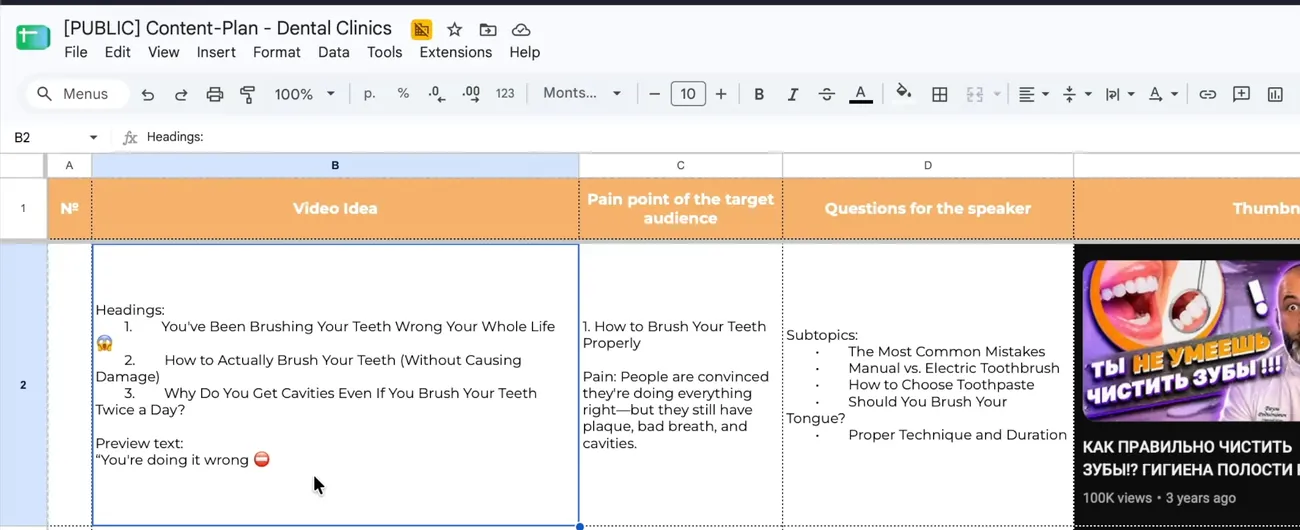
Our content plans for clients look exactly like this. For a self-storage franchise, every row is an investor objection, the format that answers it and an example video. For dental clinics, every row has "questions for the doctor", which is the script itself.
Google Sheets or Notion?
Either works. A spreadsheet is easier to share and copy. Notion is better when a team works on each card (scripts, files, comments). We use a simple sheet for the plan and a Notion board with statuses for production.
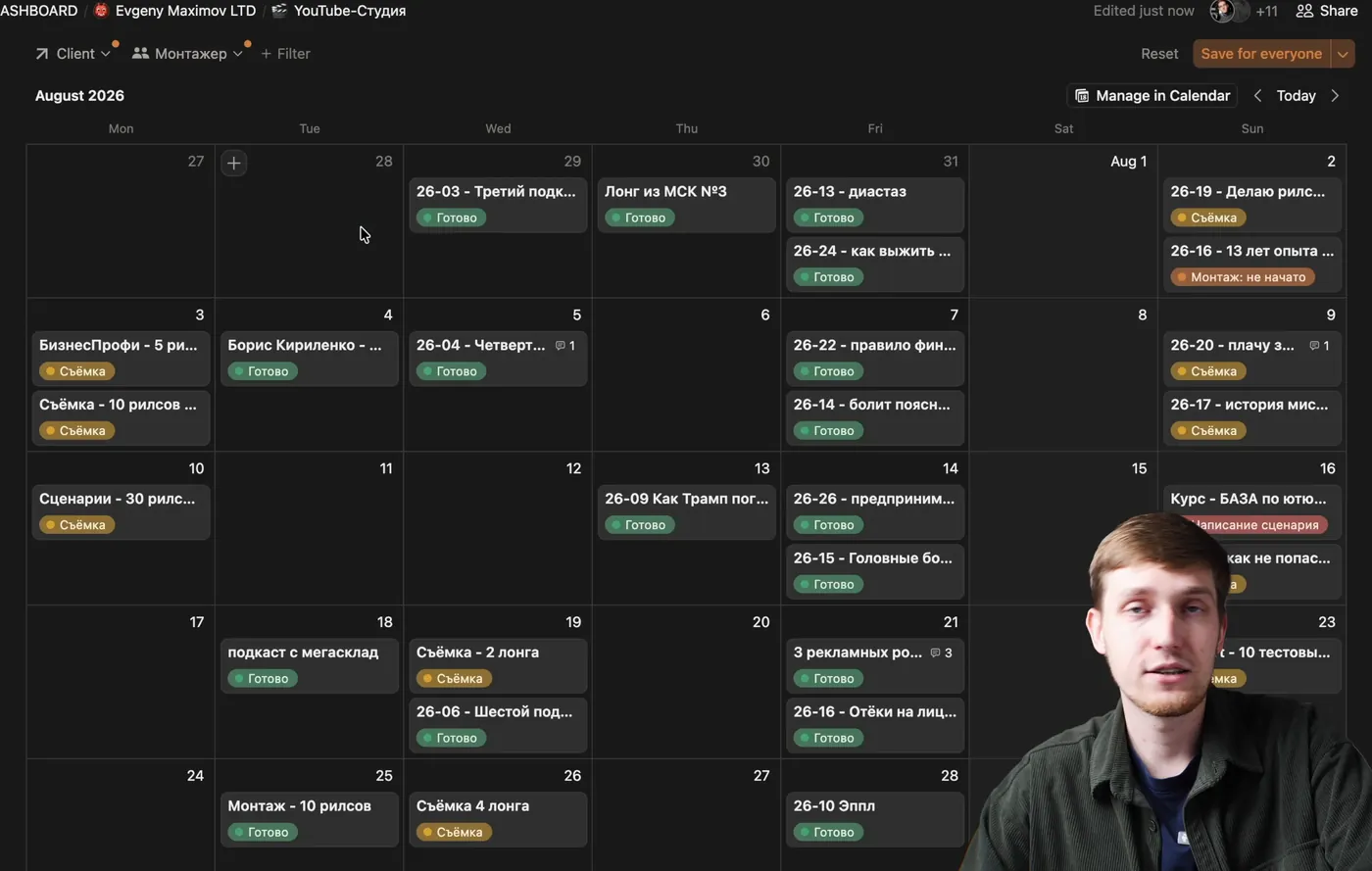
The statuses we use on every card: not started, research, scriptwriting, filming, editing, waiting for feedback, publishing, done. How the whole team runs on it is in our content production workflow.
FAQ
Is there a free content calendar template for YouTube?
Yes. Evgeny Maximov shares two free Google Sheets with no opt-ins: a content plan for high-ticket B2B businesses and a content plan for dental clinics with 18 long-video ideas and 40 Shorts. Copy one and adapt the rows to your buyers' questions.
What is a YouTube content calendar?
A plan of which videos you'll make, when you'll film them and when you'll publish them, with the details that guide production: the idea, the buyer question, the funnel stage, the format, the search phrase, the status and the results.
What is the 1–4–20 content system?
One filming day gives four long videos, and four long videos give about twenty Shorts. Published over a month, that is one long video and five Shorts a week on YouTube, Instagram, TikTok, LinkedIn and Facebook, plus an SEO article on your website for each long video.
What should be in a YouTube content calendar template?
Columns for the idea, the buyer question or objection, funnel stage, format, main search phrase, call to action, filming day, status, publish date, Shorts and results.
How far ahead should I plan YouTube content?
About one month ahead around a filming day, with an idea bank two to three times bigger than the plan. Longer plans tend to go stale.
How many YouTube videos should a business post per month?
Four long videos a month, about one a week, plus Shorts cut from them, is a strong and sustainable pace for most founder-led channels.
Is Google Sheets or Notion better for a content calendar?
Sheets is simpler for planning and sharing; Notion is better when a team collaborates on each video. Many teams use a sheet for the plan and a Notion board for production.
Where do I get video ideas for my calendar?
From your sales calls, client questions, common mistakes in your industry and your own opinions. Every objection you hear twice is a video.
How do I fill a content calendar for a business channel?
Start from your sales calls: write down every question and objection for a month. Each one becomes a row with the funnel stage, format, main search phrase and call to action. Keep two to three times more ideas than you plan to film.
What is a good monthly mix of YouTube videos for a business?
About one top-of-funnel video, two middle-of-funnel videos and one bottom-of-funnel video a month, plus 15–20 Shorts cut from them. For one client, 40% of viewers watched only long videos and 30% only Shorts, so both matter.
Founder of a done-for-you YouTube agency for high-ticket founders. Making content since 2014. More about me
Want the calendar filled and executed for you?
We plan, script, film, edit and publish. You film one day a month. 7-day money back guarantee.
Book a call →