Two Videos to Test Remote Production With Oaken Mulholland
We built Miro boards, helped Oaken record on a Google Pixel over Zoom, and edited two long videos as a small production test.
 By Evgeny Maximov·6 min read·
We made two long videos with Oaken Mulholland. It was a test project: a way to try the recording process, see the finished videos, and decide whether to keep making content.
Oaken used a Google Pixel and a DJI Mic Mini 2 he bought for filming. I joined him on Zoom and helped him record.
For the preparation, we used Miro. Oaken had already created content in a similar format, explaining ideas with a visual board. We built on that approach.
Why did we start with two videos?
A full content commitment can feel like a big decision when you have not worked with a production team before. You have to find out whether the format suits you and whether you like the finished work.
With Oaken, we kept the scope small. We made two long videos so he could experience the process before deciding what came next.
The test covered preparation, remote recording and editing. It gave him finished videos to judge, alongside the experience of working with us.
| Part of the test | What we did |
|---|---|
| Preparation | Miro boards with diagrams and supporting points. |
| Camera | Oaken’s Google Pixel. |
| Audio | A DJI Mic Mini 2 bought for filming. |
| Direction | I helped Oaken record over Zoom. |
| Editing | Two long videos combining the speaker and screen recording. |
Why did we use Miro instead of full scripts?
Oaken was already familiar with explaining a process through a visual board. That format suited his delivery and how he came across on camera.
So we developed Miro boards with diagrams. The board gave him a structure to follow while leaving room to explain the ideas in his own words.
For these videos, the diagrams were part of what the viewer would see. We prepared the explanation and the visual material together.
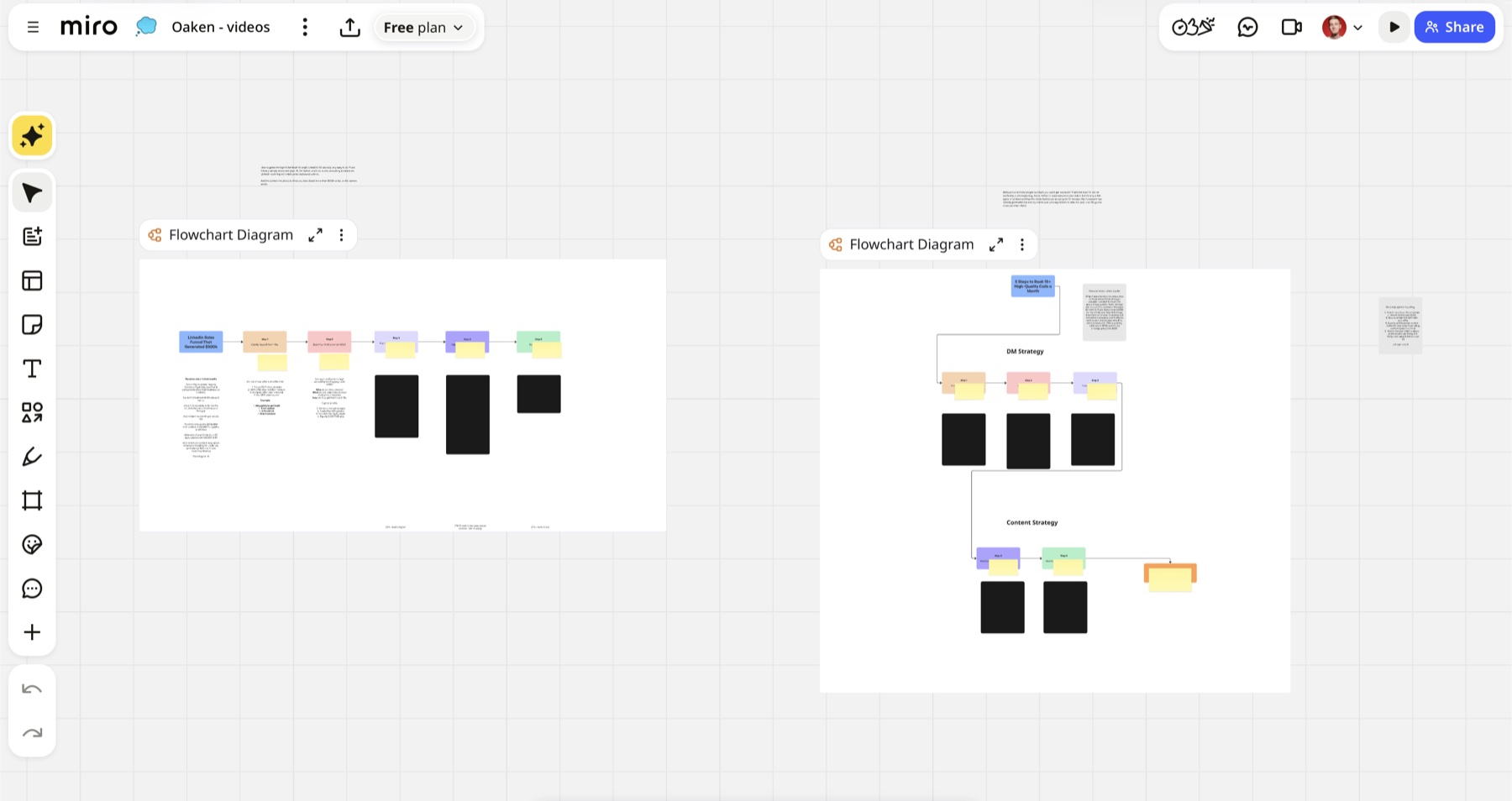
One board laid out a LinkedIn sales process step by step. The other gave us a structure for explaining outreach and content. We used the diagrams to connect the parts of his explanation.
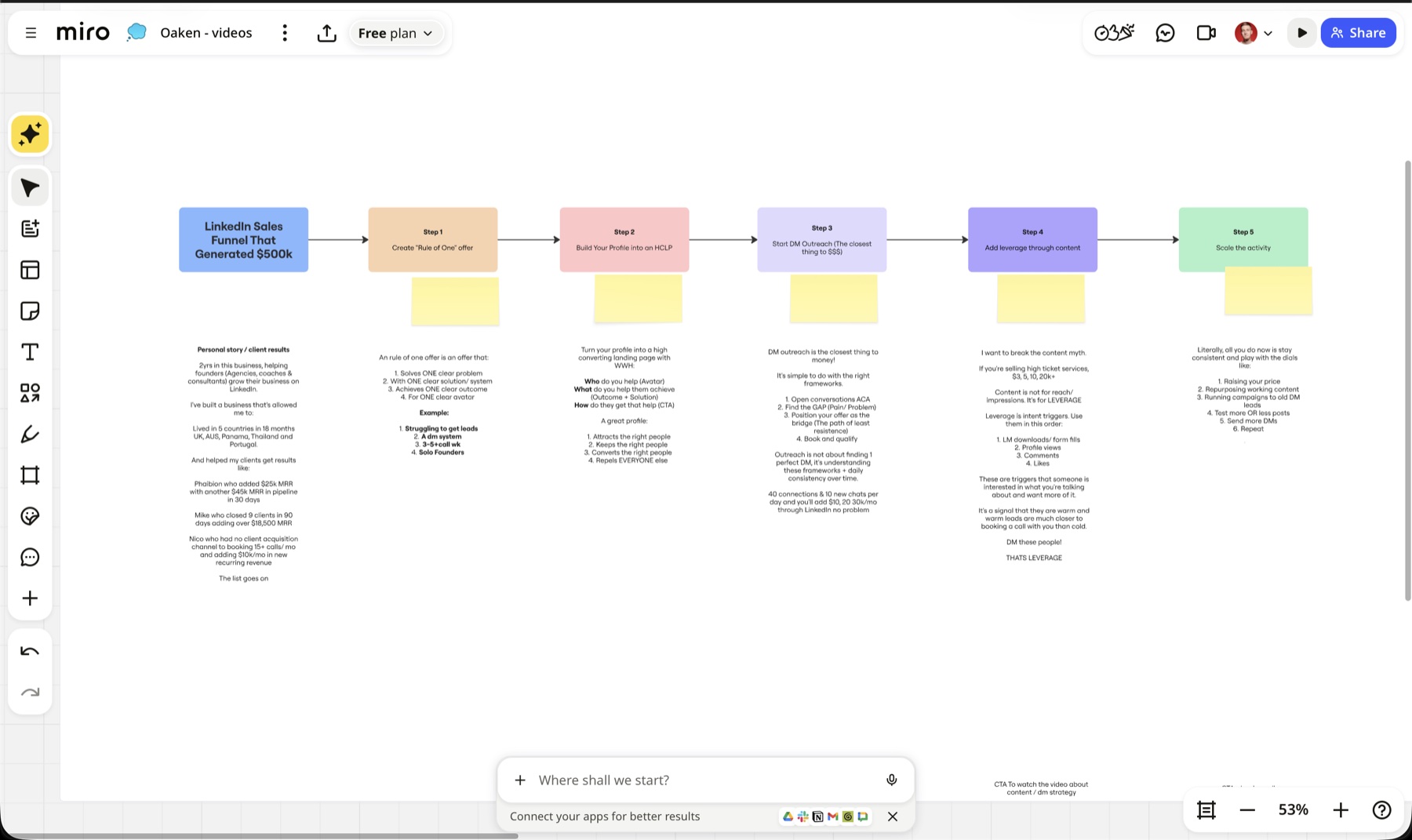
That was the preparation for this speaker. We chose a format he could use comfortably, based on content he had already made.
How did we record remotely?
I was on Zoom with Oaken while he recorded. He had the phone on his side, and we had the Miro boards ready for the presentation.
He could focus on explaining the subject while I helped with the recording process. We did not need to be in the same room to work through the videos together.
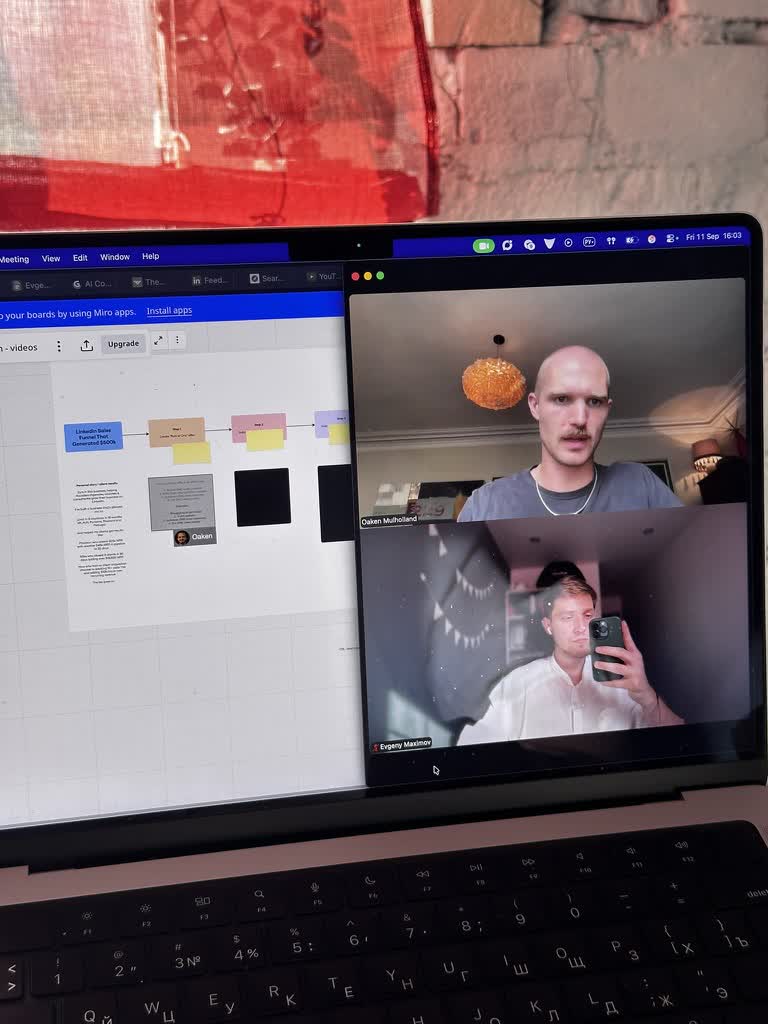
The photo shows how we worked: the board and the call were open together. The preparation stayed close to the recording, so we could use the same visual structure throughout.
What equipment did Oaken use?
Oaken filmed on a Google Pixel, an Android smartphone. For audio, he bought a DJI Mic Mini 2 for the shoots.
That kept the recording setup small: a smartphone, a wireless microphone, and a computer for the Miro presentation and our Zoom call.
As a guide, Mic Mini 2 kits currently cost roughly $65–$120, depending on the bundle. That is based on DJI’s UK prices of £49–£89, converted at about $1.34 to the pound on 2 Nov 2026.
How did we edit the phone and screen recording?
We built the edit as a multicam sequence. That let us move between three views:
- The speaker: Oaken on camera.
- The speaker and screen: Oaken alongside the material he was explaining.
- The screen: the board or screen recording on its own.
These were three ways of presenting the material, made from the phone footage and screen recording. We were not filming him with three physical cameras.
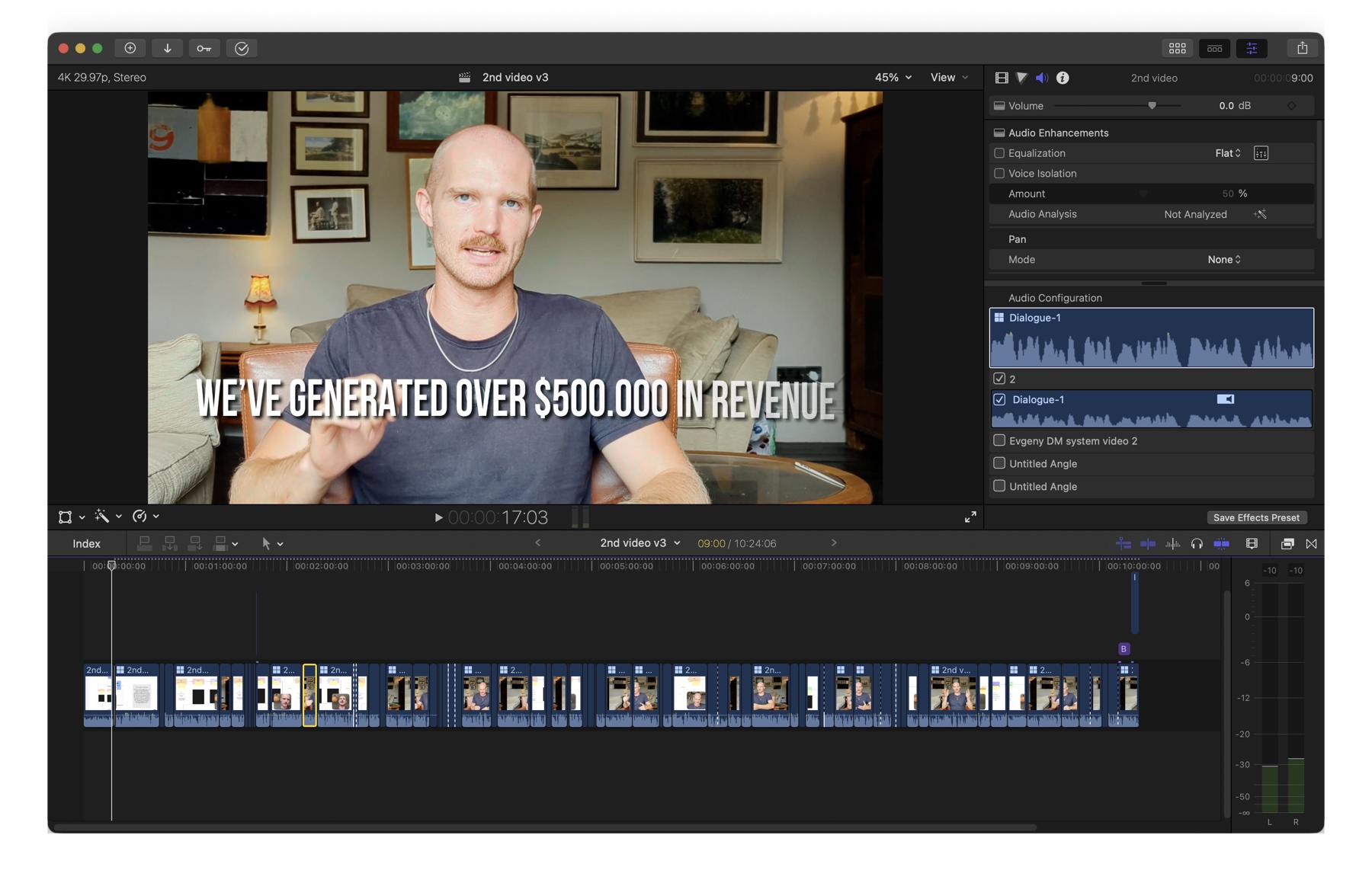
When the board carried the explanation, we could show it clearly. When the focus was on Oaken, we could bring him back to the full frame. The combined view kept both visible.
That gave the finished videos a structure the viewer could follow while Oaken moved through the diagrams.
What does the finished video look like?
Here is one of the videos from the test, published on 30 Sep 2026. Oaken walks through a LinkedIn client acquisition process.
You can see the relationship between the preparation and the edit: the diagrams give the explanation its structure, and we switch views as he talks through it.
What happened after the test?
Oaken liked the finished work. We made two long videos, but did not continue working together for personal reasons.
The project stayed at the test stage. I would describe the result as two finished videos and a chance for Oaken to try the format and the production process.
If you are unsure about ongoing content, we can start with a smaller project too. You can try recording with us, review the finished work, and then decide whether you want to continue.
Our filming setups guide explains the practical options. Our production guide shows how we work around the recording.
Book a call with me to discuss a small production test.
The Business YouTube Playbook
Read the planning framework behind expert-led video content.
More examples of our production work: Rating Up and WorldRun.
FAQ
How many videos did you make for Oaken?
We made two long videos as a test project. The aim was to let Oaken try the process and see the finished work before deciding whether to continue.
What phone did Oaken use?
Oaken used a Google Pixel, an Android smartphone.
What microphone did he use?
He bought a DJI Mic Mini 2 for filming. The price depends on the bundle; the current price guide in this article is separate from his purchase cost.
Did you write full scripts?
We developed Miro boards with diagrams instead. Oaken had already made content in a similar format, and this approach suited how he explained his ideas.
How did you direct the recording?
I joined Oaken on Zoom and helped him record remotely. He recorded his presentation while we worked through the Miro material.
Was this filmed with three cameras?
No. We edited the phone footage and screen recording as a multicam sequence, switching between the speaker, the speaker with the screen, and the screen on its own.
What did the Miro boards contain?
We built diagrams and supporting points around the processes Oaken was explaining. The boards gave the recordings a visual structure.
Did Oaken like the result?
Yes. He liked the finished work. We made two long videos during the test.
Why did the project stop?
We did not continue for personal reasons. The project stayed at the two-video test stage.
Can we start with a small test too?
Yes. We can discuss a small production test so you can try the format, recording process and finished videos before deciding on ongoing work.
Founder of a done-for-you YouTube agency for high-ticket founders. Making content since 2014. More about me
Want to test your video format first?
Book a call with me. We can discuss a small production test before you decide on ongoing content.
Get a free niche review →