YouTube Video Editing for Business: The Standards, the Brief and the Review
Most founders judge editing by "does it look nice". That's the wrong test for a business channel. Good editing keeps the right people watching long enough to trust you. Here's what that looks like in practice: our editing standards, what an editor needs from you, and how review works without you directing every cut.
 By Evgeny Maximov·9 min read·
What does a YouTube editor actually do?
You're not paying someone to cut pauses. You're paying someone to turn a talking head into a show. In our team the editor's job title is literally "director of the edit": they choose the music, the B-roll, the graphics and the pace. The script doesn't say any of that. The editor decides.
That's also why editing is the biggest line in production. When we added up our delivery costs, editing was about half. Someone records for two hours, and then an editor makes a rough cut, cleans the sound, adds B-roll and text, does sound design and color, and exports. Many small operations inside one video. More on the money in YouTube video production cost.
What editing standards do we use?
This is the checklist our editors work to on every long video:
- No pauses longer than 3 seconds.
- A zoom, cutaway or graphic every 20–30 seconds.
- Voice around −6 dB, sound effects around −12 dB, music around −20 dB. Music is always under the voice.
- Captions that read on a phone and don't cover the face.
- Graphics inside the safe zone, nothing important in the bottom-right corner where the timestamp sits.
- One or two transitions per video, not twenty.
- B-roll that explains the point, not stock footage for decoration.
- The hook works in the first 15–20 seconds.
The editing techniques behind these rules are in talking head video editing.
What should you send to your editor?
There's no universal brief in our agency. An editor gets five things and makes the rest of the decisions:
- The script, so they know the structure and the point of each part.
- The brand book or style references: fonts, colors, how titles look.
- References of videos you like, with a note on what you like in each.
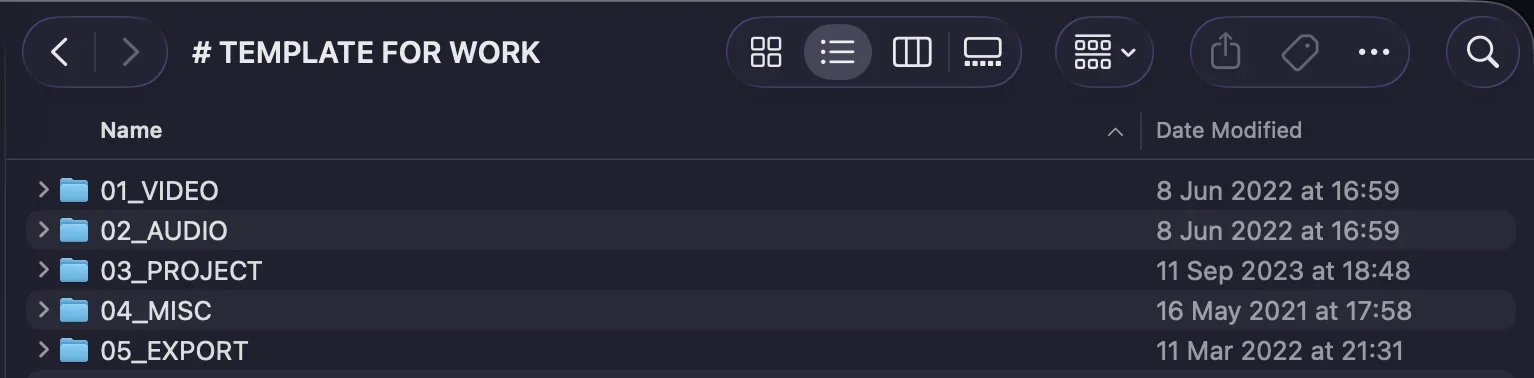
- The raw footage in a shared cloud folder with a clear structure.
- Materials from your expertise, with timecodes: a screenshot, a case, numbers, an X-ray, a document. The editor can't invent these. You send them.
How does review work without you directing every cut?
The founder shouldn't be the first person to find the typo. In our team, the producer and a quality-control person watch the cut first. If a part is boring, it goes back with timecodes. Only then does the client see it.
Your feedback is simple: what you like, what you don't, what to add and what to remove. You don't direct the edit shot by shot. That's the editor's job, and it's why you hired them. Use a review tool like Frame.io or Dropbox Replay, where comments sit on the exact timecode, instead of "at 3:42, the second sentence…" in a chat.
How many rounds are normal? With a new editor, 3 to 5 while they learn your style. After that, 1 to 3 on a big video. If it never drops, check the editor, the footage and the brief.
How fast should editing be?
Plan about a week from raw footage to final for a long video, including review. A good editor can be much faster: our client Justin, a solo founder, used to spend a full week editing one 20-minute video himself. With a professional editor, he had the first draft in two days and the final two days later. His story is here.
Don't expect magic speed either. Behind one video there are hours of rough cut, B-roll, text, sound design and export. Slow is normal. Rendering two hours before the deadline is not. And AI doesn't remove the work yet: what AI does and doesn't do in our editing.
What export settings should you use?
YouTube publishes its own recommended upload settings, and we follow them. The short version for a business channel:
| Setting | YouTube's recommendation |
|---|---|
| Container | MP4, with the moov atom at the front of the file (Fast Start) |
| Video codec | H.264, High Profile, progressive scan, variable bitrate, 4:2:0 |
| Frame rate | the same as you filmed: 24, 25, 30, 50 or 60 fps |
| Bitrate, 1080p | 8 Mbps at 24–30 fps, 12 Mbps at 50–60 fps |
| Bitrate, 4K | 35–45 Mbps at 24–30 fps, 53–68 Mbps at 50–60 fps |
| Audio | AAC-LC, stereo, 48 kHz, 384 kbps |
| Color | SDR, BT.709 |
| File name (our rule) | video number + version, e.g. "26-001 V1.mp4" |
Source: YouTube Help, recommended upload encoding settings, with the full tables for every resolution, HDR and color space. Checked in October 2026.
How much do YouTube video editing services cost?
- A freelance editor: about $100–250 per long talking-head video, more for heavy graphics.
- An editing subscription: for example, Tasty Edits listed $327 for one long video in October 2026, $305 each in a pack of 4 and $278 each in a pack of 8.
- A full team: editing comes with strategy, scripts, packaging and publishing, usually $3,000–10,000 a month in total.
If you want to hire your own editor, here's how to hire a YouTube editor with a paid test. If you want editing as part of the whole system, that's our YouTube production service.
FAQ
What makes good YouTube video editing for a business channel?
Clear sound, no dead pauses, a visual change every 20–30 seconds, captions that read on a phone and don't cover the face, graphics that explain rather than decorate, and a pace that keeps the right viewers watching. The goal is trust and watch time, not effects.
What should I send to my YouTube video editor?
The script, your brand book or style references, the raw footage in a shared cloud folder, any materials from your expertise with timecodes (screenshots, case data, numbers) and special wishes. In Evgeny Maximov's agency there's no universal brief: the editor works from these and decides the visuals.
How long does it take to edit a YouTube video?
For a long talking-head video, plan about a week from raw footage to the final version, including review. A professional editor can deliver a first draft of a 20-minute video in about two days.
How many rounds of revisions are normal for YouTube editing?
With a new editor, 3 to 5 rounds while they learn your style. After that, 1 to 3 rounds on a big video. Complex projects like documentaries take more.
What audio levels should a YouTube video have?
Evgeny Maximov's team uses voice at about −6 dB, sound effects at about −12 dB and music at about −20 dB, so music always stays under the voice.
What export settings are best for YouTube?
YouTube recommends MP4 with H.264 video and AAC-LC stereo audio at 48 kHz, the same frame rate you filmed in, and SDR in BT.709. For 1080p about 8 Mbps (12 Mbps at 50–60 fps), for 4K 35–45 Mbps (53–68 Mbps at 50–60 fps). The full list is in YouTube Help under recommended upload encoding settings.
How much do YouTube video editing services cost?
Freelancers usually charge about $100–250 per long talking-head video. Editing services listed about $278–327 per long video in October 2026, depending on the package size. In Evgeny Maximov's agency, editing is about half of what a video costs to produce.
Should the founder direct the edit?
No. The founder says what they like, don't like, want added or removed. The editor works as the director of the edit and chooses music, B-roll and graphics; the producer reviews it before the founder sees it.
Is AI enough to edit YouTube videos for business?
Not yet for long videos. AI helps with transcripts, rough cuts and captions, but taste, pacing, B-roll choices and quality control still need a person. Even with AI, editing is the most time-consuming part of production.
Should editing be bought separately from the rest of production?
You can, if someone on your side owns strategy, scripts, packaging and publishing. If not, editing alone won't fix the channel, because it's one of seven jobs behind every video.
Founder of a done-for-you YouTube agency for high-ticket founders. Making content since 2014. More about me
Want editing that keeps buyers watching?
Our editors, producer and quality control work as one team. You film one day a month and review finished videos. 7-day money back guarantee.
Book a call →