MSP Marketing: How Managed IT Providers Win Clients With Video
Managed IT is sold to business owners who are scared of two things: getting hacked and paying for something they don't understand. Long videos answer both before the first call. Here's what to film, with real references.
 By Evgeny Maximov·9 min read·
An honest note first. We haven't worked with an MSP or an IT company yet. Everything about our own experience below comes from other B2B service clients with long sales cycles, mostly Tvoy Sklad, a self-storage franchise. The references in the second half are real MSP and IT videos, with their views.
Why does MSP marketing work so well with long video?
Look at how a managed IT contract is sold. The buyer is a business owner, not an IT person. The contract is monthly and runs for years. And the owner is scared of two things at once.
Scared of getting hacked. Of downtime on a Monday morning. Of the ex-employee who still has the email password. And scared of paying every month for something they can't see or understand. “Per user per month”, “SLA”, “endpoint protection”. For most owners it's a foreign language.
A scared and confused buyer doesn't buy fast. They research and watch videos. That's the buyer long video serves best: you explain slowly, in plain words, without a salesperson in the room.
Two numbers I keep in mind for any B2B service. Gartner research shows B2B buyers spend only about 17% of their buying time meeting suppliers. The rest they research alone. And the B2B Institute's 95-5 rule says only about 5% of buyers are in the market at any moment (Marketing Week). The other 95% are happy with their IT guy. Until the day they aren't. On that day they call the company that already explained things to them.
And here's the part that should make you move now. There's almost no competition. Search YouTube for the questions your buyers ask, and you'll find big tech channels and a few vendors, but very few MSPs explaining things to business owners in plain words. In most cities and niches the spot is empty. The first MSP that fills it with a steady stream of good videos becomes the name people know. With our team doing the production, that can be you, while your competitors are still “thinking about video”.
What do business owners watch before they hire an MSP?
Think in two levels: broad videos that bring new viewers, and deep videos that bring calls.
| Level | Video ideas | Job |
|---|---|---|
| Broad | “What an MSP actually does” · “10 IT mistakes small businesses make” · “The first hour after a ransomware attack” | reach: owners who aren't looking for a new provider yet |
| Comparison | “One in-house IT person vs an MSP: the real cost” · “Break-fix vs managed IT” · “Per user vs per device pricing” | people deciding how to run their IT |
| Process | “Our first 30 days with a new client” · “A day with our help desk” · “How we price a 40-person office” | trust: people choosing who to hire |
| Proof | “How we moved a law firm to the cloud in one weekend” · “A client on why they switched IT providers” | the final push before the call |
When we searched for references for this article, something stood out. The biggest MSP videos on YouTube are about running an MSP: how to price your services, how to get clients, how to sell managed IT. They are made for other MSP owners. Videos made by real MSPs that answer a buyer's questions often have a few hundred views.
For you, that's good news. Almost nobody explains managed IT to business owners on video. The door is open.
Who should be on camera: the founder or the engineers?
Both, with different jobs. The founder does the opinion videos: why you work this way, what you refuse to do, what you think about cheap IT. The engineers do the process and how-to videos. They know the details, and they're the people the client will actually talk to.
An owner signing a three-year contract wants to see who answers when the server goes down. A calm engineer explaining backups does more for trust than any “24/7 support” line. And there's a practical reason. At Tvoy Sklad, the founder was the face of the channel for years. Then he moved to another city. We started filming his CTO and his chief growth officer, and the channel kept working. Investors saw a team, not one person. More on how to get your team comfortable in front of the camera in employee-generated content.
What is our closest example to an MSP?
The closest one is Freshcode, a software development company that builds apps for other businesses. We produced their video podcast, “Clojure in product. Would you do it again?”. Each episode is a long conversation with a developer from a company that uses this technology in a real product, like The New York Times, Metabase and Dentons. The guests share the details: what worked, what broke, what they'd do differently.
Why does this fit an MSP? A tech company sells to people who can't check the code themselves. A podcast with real engineers shows the team knows its field better than any sales page. And every guest is also a contact: a potential client or partner who now knows you. The full format is in video podcast production.
The second example is Tvoy Sklad, a self-storage franchise we've worked with since 2022. A very different product, but the same kind of sale: a business decision, a long contract, a buyer who needs to trust the people before the numbers.
Their videos get about 2,000 to 20,000 views. Their channel has about 2,000 subscribers. Terrible numbers for a YouTube producer. And in 2024–2025 the company attracted about $5M in investments and signed 20+ franchise partners. The full story is in the Tvoy Sklad case study.
The video I'd point an MSP to is their “boring” one: an explanation of how they open a new storage location. Partners come to calls saying “I watched everything, let's talk business”. For an MSP, that's your “our first 30 days with a new client” video. Nobody shares it. Every serious buyer watches it.
How should an MSP use videos in sales?
Don't wait for YouTube to bring strangers. Your videos start working the day your team sends them.
- Before the call: one video that answers the lead's main question. Not a playlist.
- After the call: the video for the objection you heard. “We already have an IT guy” gets the in-house vs MSP cost video.
- For people who never join the call: the partner, the office manager, the CFO.
- Tracking: a separate link (UTM) per video, and one question to every lead: “Which video brought you here?”
The full sequence is in how to shorten your B2B sales cycle with video, and the five videos every sales team needs are in B2B video marketing that sells.
Which 5 videos can an MSP film this month, with proven references?
Here are five videos you can take into production now. For each one there is a real video that already got views on the topic, with its packaging on screen. They are not here to be copied. They show that the topic works and what people click, so you can build your own title, thumbnail and angle.
The steps come from the Buyer Ladder, the model we use for content plans in my free course The Trust Engine. Views are YouTube data on 23 October 2026. They show demand, not how many clients each video brought. Buyer-facing MSP videos have small numbers, which is normal for a narrow B2B niche. The bigger references come from security and tech channels, and they show the topic has demand even where MSPs don't film it.
Video 1: What an MSP actually does, in plain English
- Buyer stage: Not looking yet → has a problem but doesn't see it. The owner knows something is wrong with their IT, but not what an MSP is or why it costs money every month.
- The question or objection it answers: “What exactly would I pay you for every month?”
- Title options: “What Does an MSP Actually Do? Managed IT in Plain English” · “What You Really Get From a Managed IT Provider”
- Thumbnail: You next to a simple three-box picture: help desk, security, backups, with “WHAT AM I PAYING FOR?”.
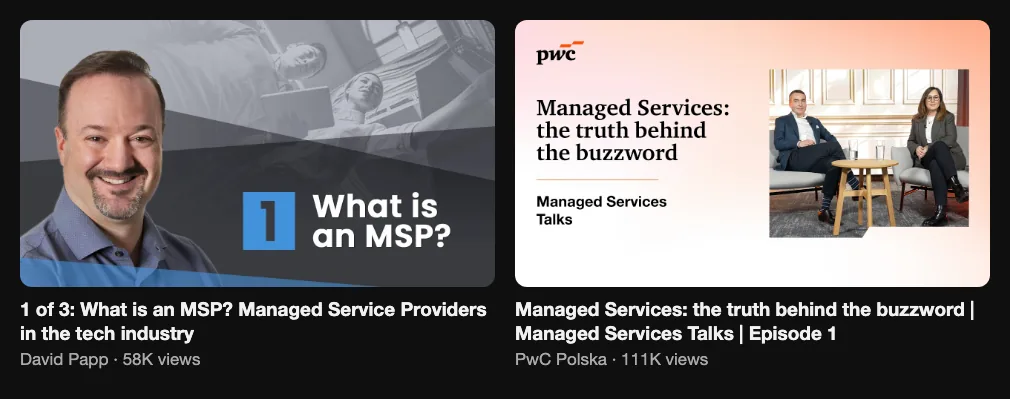
- Reference: 1 of 3: What is an MSP? Managed Service Providers in the tech industry (David Papp, 58K views) and Managed Services: the truth behind the buzzword | Managed Services Talks | Episode 1 (PwC Polska, 111K views).
- What to change for you: Talk to the owner, not to IT people. Every term gets a one-line translation. Put your real service list on screen, the one from your contract, and say what is not included.
Video 2: What managed IT really costs, and how pricing works
- Buyer stage: Looking for a solution → choosing who to hire. The owner is comparing quotes and wants to know if the number is fair.
- The question or objection it answers: “Am I overpaying, and why is your price different from the other quote?”
- Title options: “How Much Do Managed IT Services Cost in 2026?” · “Per User, Per Device or All-In: Managed IT Pricing Explained”
- Thumbnail: A big “$ / USER / MONTH” with a calculator in your hand, or three price tags side by side.
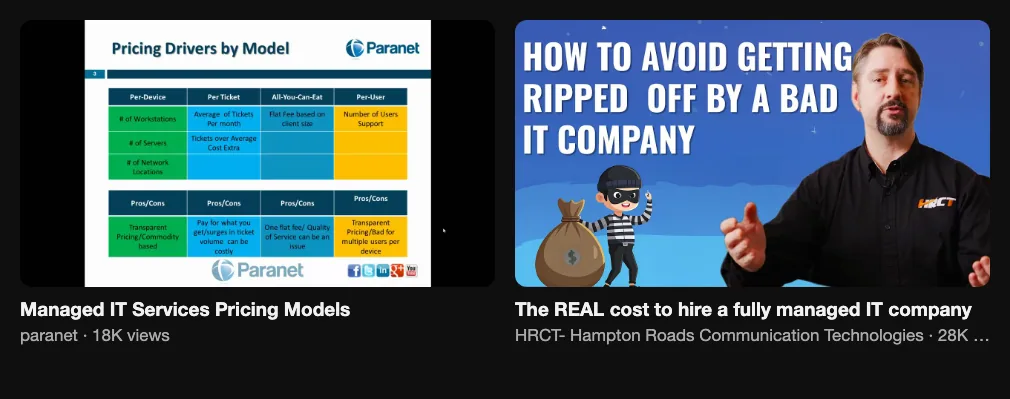
- Reference: Managed IT Services Pricing Models (paranet, 18K views) and The REAL cost to hire a fully managed IT company (HRCT- Hampton Roads Communication Technologies, 28K views).
- What to change for you: Show your real price ranges, or at least your model and what moves the price up. People who see a number before the call come ready to talk. The ones who can't afford you leave before they take your time.
Video 3: The first hour after a ransomware attack
- Buyer stage: Has a problem but doesn't see it → knows the problem, not a priority yet. The owner has heard about a neighbor business that got hit and starts to worry.
- The question or objection it answers: “What happens if we get hit, and would you actually save us?”
- Title options: “Ransomware Hit Your Business? Do These 5 Things First” · “What We Do in the First Hour of a Ransomware Attack”
- Thumbnail: A red screen with “YOUR FILES ARE ENCRYPTED” and your calm face next to it, or a clock with “FIRST 60 MINUTES”.
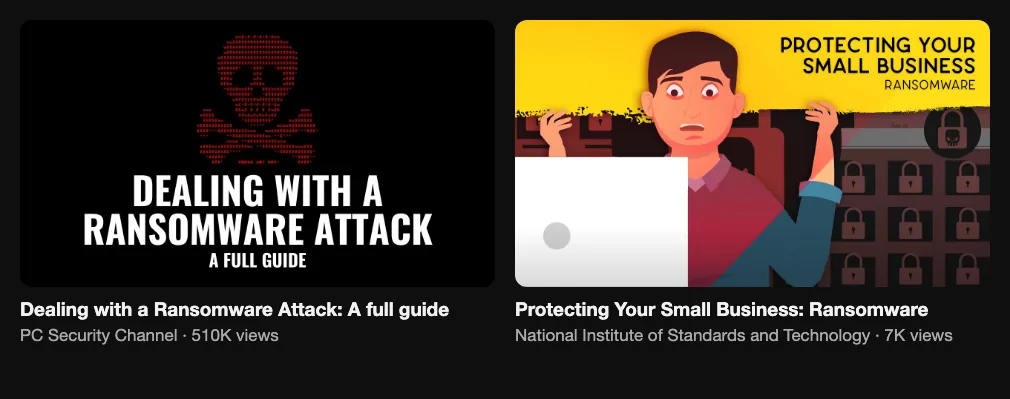
- Reference: Dealing with a Ransomware Attack: A full guide (PC Security Channel, 510K views) and Protecting Your Small Business: Ransomware (National Institute of Standards and Technology, 7K views).
- What to change for you: Tell a real incident from your work, with the client's consent and without names. Walk through your response plan step by step. Calm, not scary. This is the video an owner forwards to their business partner.
Video 4: IT and security mistakes small businesses make
- Buyer stage: Has a problem but doesn't see it. A broad topic every owner can check against their own office today.
- The question or objection it answers: “Are we doing something stupid right now?”
- Title options: “10 IT Mistakes That Put Small Businesses at Risk” · “Security Mistakes We Find in Every New Client's Office”
- Thumbnail: A sticky note with a password on a monitor, a red cross and “STOP DOING THIS”.
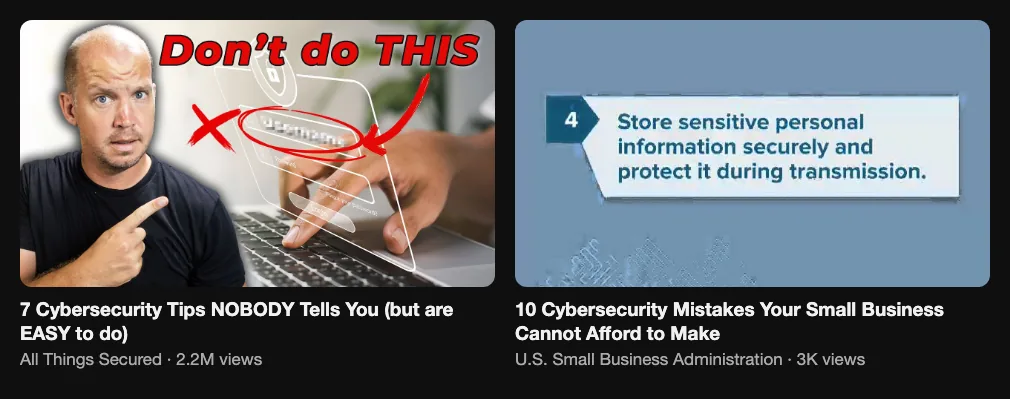
- Reference: 7 Cybersecurity Tips NOBODY Tells You (but are EASY to do) (All Things Secured, 2.2M views) and 10 Cybersecurity Mistakes Your Small Business Cannot Afford to Make (U.S. Small Business Administration, 3K views).
- What to change for you: Use what your engineers find in the first audit of every new client, without names: shared passwords, backups nobody ever tested, the ex-employee who still has access. For each mistake, show how to fix it yourself. Owners who see how much there is to fix often call you anyway.
Video 5: A day with our engineers
- Buyer stage: Looking for a solution. The owner is close to choosing and wants to meet the people behind the contract.
- The question or objection it answers: “Who will actually answer when something breaks?”
- Title options: “A Day in the Life of Our Help Desk” · “Inside Our MSP: Who Fixes Your IT When It Breaks”
- Thumbnail: An engineer at a desk with three screens, a headset on, and a short “INSIDE OUR MSP”.
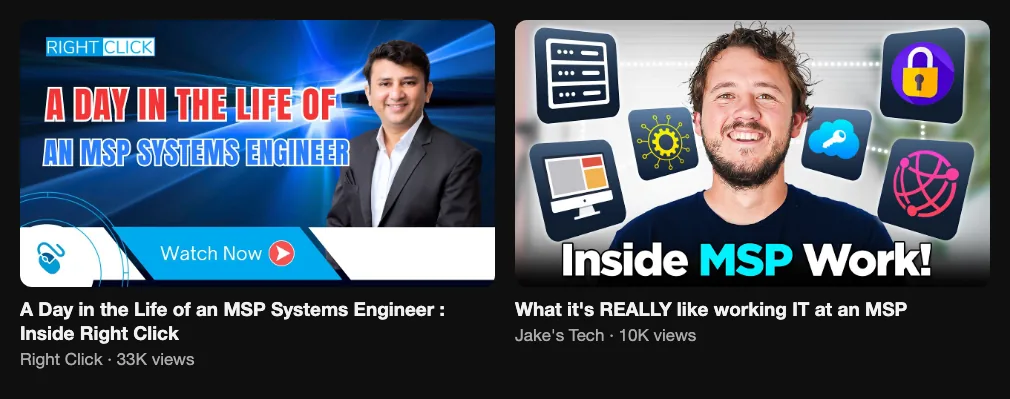
- Reference: A Day in the Life of an MSP Systems Engineer : Inside Right Click (Right Click, 33K views) and What it's REALLY like working IT at an MSP (Jake's Tech, 10K views).
- What to change for you: The first reference is an MSP filming its own engineer, which is exactly the format. One engineer, one day, real tickets with client data hidden. The same video works for hiring, because good engineers also want to see where they'll work.
What can you do this week to check demand in your area?
One evening is enough to know if your service has demand and which five videos to film first:
- Search the way an owner would. In an incognito window, type “managed IT services [city]”, “IT support for small business [city]” and “what to do after ransomware” into YouTube. See who ranks and how many views the top five have.
- Copy the questions. Autocomplete and “People also ask” on Google give you ten questions about price, contracts and security. Each is a video.
- Look at local competitors. Search “IT services [city]” in Google Maps. MSPs with many reviews are your rivals. Do they have video, or only stock photos of servers?
- Find the ceiling. Check the cost of a click for “managed IT services [city]” in Google Keyword Planner. It shows what one inquiry is worth to a competitor who pays for ads.
- Read your last ten inquiries. Write down the first question and the reason a lead went quiet. The five most common are your first videos.
- Run the break-even. Take your monthly contract value, how many years a client stays, and a year of content in our break-even calculator. One client often pays for a long time.
After this evening you have a small niche X-ray, a map of owners' questions and five videos with real references, which is the work we do in the first two weeks with a new client. If you want a team to plan, film and publish them, here is how our YouTube strategy service works.
A 90-day video plan for an MSP
- Month 1: one filming day. Half with the founder talking to camera, half with an engineer in the office or the server room. Four long videos: what an MSP does, what managed IT costs, your first 30 days with a client, IT mistakes. Put the call link in every description.
- Month 2: repeat with new topics from your inquiries. Cut Shorts from the strongest moments, one mistake or one tip per clip. Give the sales team a list: which video answers which objection.
- Month 3: look at which videos leads mention on calls, not which ones got views. Make more of those. Add one client story, with consent.
Expect a slow start. In our experience with B2B channels, it takes about two to three months from the first batch of videos to the first leads from YouTube. The videos help your sales team from week one.
What should an MSP skip?
- Videos for other MSPs. Your tools, your vendor stack, your RMM setup. Your peers will watch it. Your buyers won't.
- Fear-selling. Ransomware is real, but a scary video looks like a scam. Calm and step by step sells better to an owner who is already nervous.
- Ready-made vendor videos with your logo. Every MSP in your city can buy the same video. Nobody trusts a face they've seen on five websites.
- Judging by views. A video with 300 views that brings one contract beats a viral tip that brings nobody. More in views vs clients.
- Doing it all yourself. If the founder still closes tickets at night, content dies by month two. Delegate it or wait.
Managed IT is a trust purchase that renews every month. The MSPs that win online are the ones that explain things simply, show the people behind the contract and keep doing it long enough for owners to remember them on the bad day. Want help with that? We make YouTube channels for B2B service companies.
FAQ
What is MSP marketing?
MSP marketing is how a managed service provider finds and wins clients for monthly IT contracts: referrals, search, ads, events and content. Because the buyer is usually a business owner who doesn't speak IT, the strongest MSP marketing explains managed IT in plain language and shows the people who will do the work.
What is the best marketing strategy for an MSP?
For an MSP that signs multi-year contracts, a strong mix is referrals plus long videos that answer what owners fear and don't understand: what an MSP does, what managed IT costs, what to do after a ransomware attack and common IT mistakes. The sales team sends these videos to every lead before and after the call, and every lead is asked which video brought them.
Should an MSP use YouTube?
Yes, if it sells monthly contracts to business owners. The buyer researches for weeks because a wrong IT partner means downtime or a breach, and YouTube is where long explanations live. Most MSP videos on YouTube are made for other MSP owners, so buyer-facing videos still have little competition.
What videos should a managed IT provider make?
Start with five: what an MSP actually does in plain English, what managed IT costs and how pricing works, what to do in the first hour after a ransomware attack, IT mistakes small businesses make, and a day with your engineers. Then add client stories, with consent and without sensitive details.
Has Evgeny Maximov's agency worked with MSPs?
Not yet. Evgeny Maximov's agency has not had an MSP or IT services client so far. The closest examples are other B2B service clients with long sales cycles, like Tvoy Sklad, a self-storage franchise that raised about $5M from investors in 2024–2025 with a YouTube channel of about 2,000 subscribers.
How much does video marketing cost for an MSP?
Market prices are roughly $100–250 per long video for a freelance editor, $3,000–10,000 a month for a done-for-you agency and $15,000–25,000 a month for an in-house team. Evgeny Maximov's agency starts from $3,000 a month, with one-off work from $500 and a 7-day money back guarantee.
Who should be on camera at an MSP?
The founder for opinion videos and the reasons to choose you, and the engineers for process and how-to videos. Buyers want to meet the people who will answer when something breaks. Filming the team also means content doesn't stop when the founder is busy.
How long until video brings clients to an MSP?
Videos help sales the day your team starts sending them to leads. Growth from YouTube search is slower: in Evgeny Maximov's experience with B2B channels, plan for about two to three months from the first batch of videos to the first leads from YouTube.
Do Shorts work for MSPs?
As a support format, yes. Cut Shorts from the long videos, one mistake or one tip per clip, and link each Short to the long video it came from. A Short alone rarely convinces a business owner to switch IT providers; the long video does that.
How do MSPs get clients without cold calling?
Referrals from happy clients and partners, and content that keeps working: long videos that rank in search for owners' questions, links to them in every proposal and follow-up, and an offer of a free IT review in each description. Videos also reach the partner or office manager who never joins the sales call.
How do I check if there is demand for MSP videos in my area?
Search “managed IT services [city]” and “IT support for small business [city]” on YouTube and Google Maps in an incognito window. Check the views of the top five videos, whether local MSPs have video at all, the “People also ask” questions and the first questions from your last ten inquiries.
Founder of a done-for-you YouTube agency for high-ticket founders. Making content since 2014. More about me
Running a managed IT business?
We make YouTube channels for B2B service companies. You and your engineers film one day a month. We do the rest. 7-day money back guarantee.
Get a free niche review →